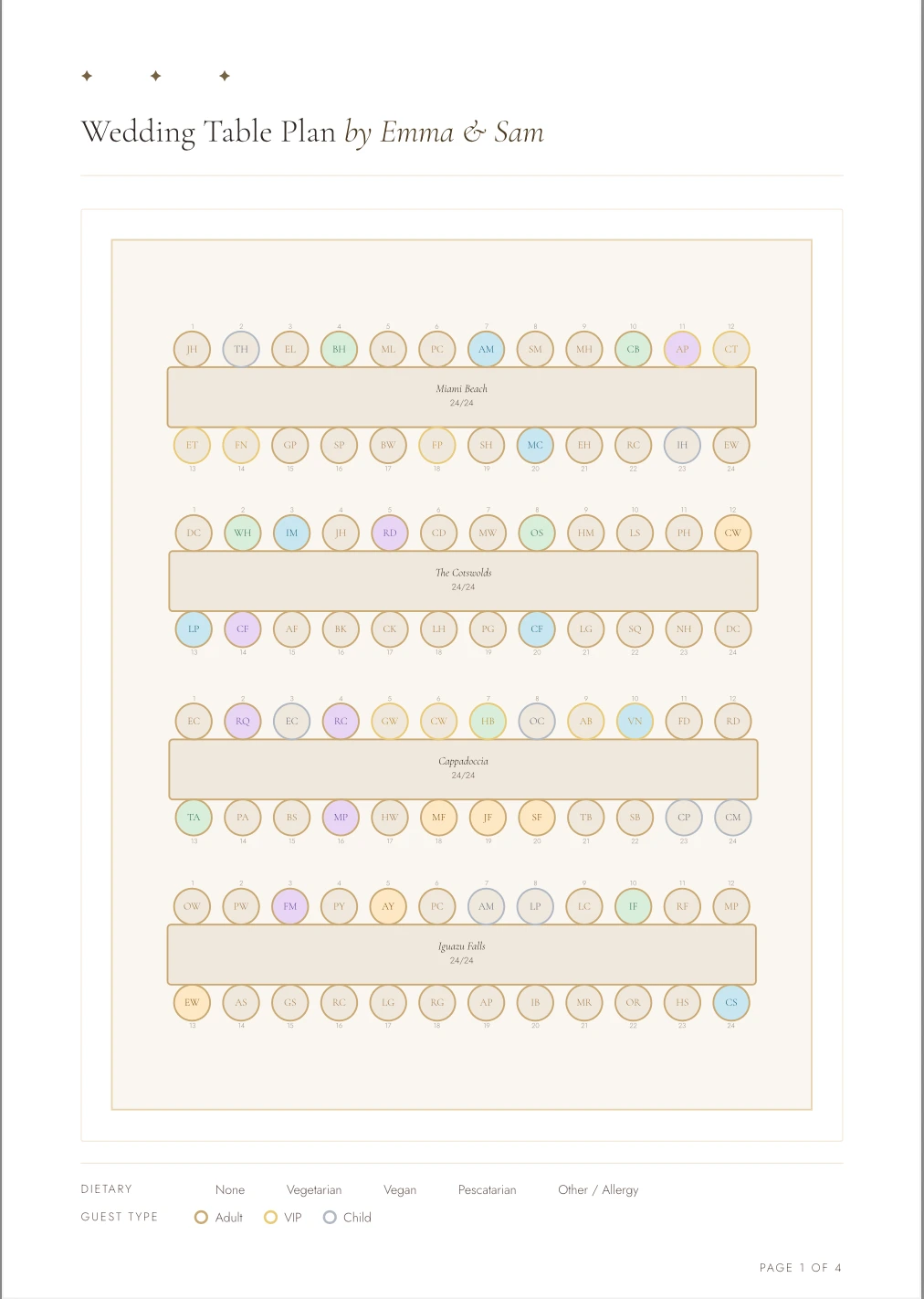
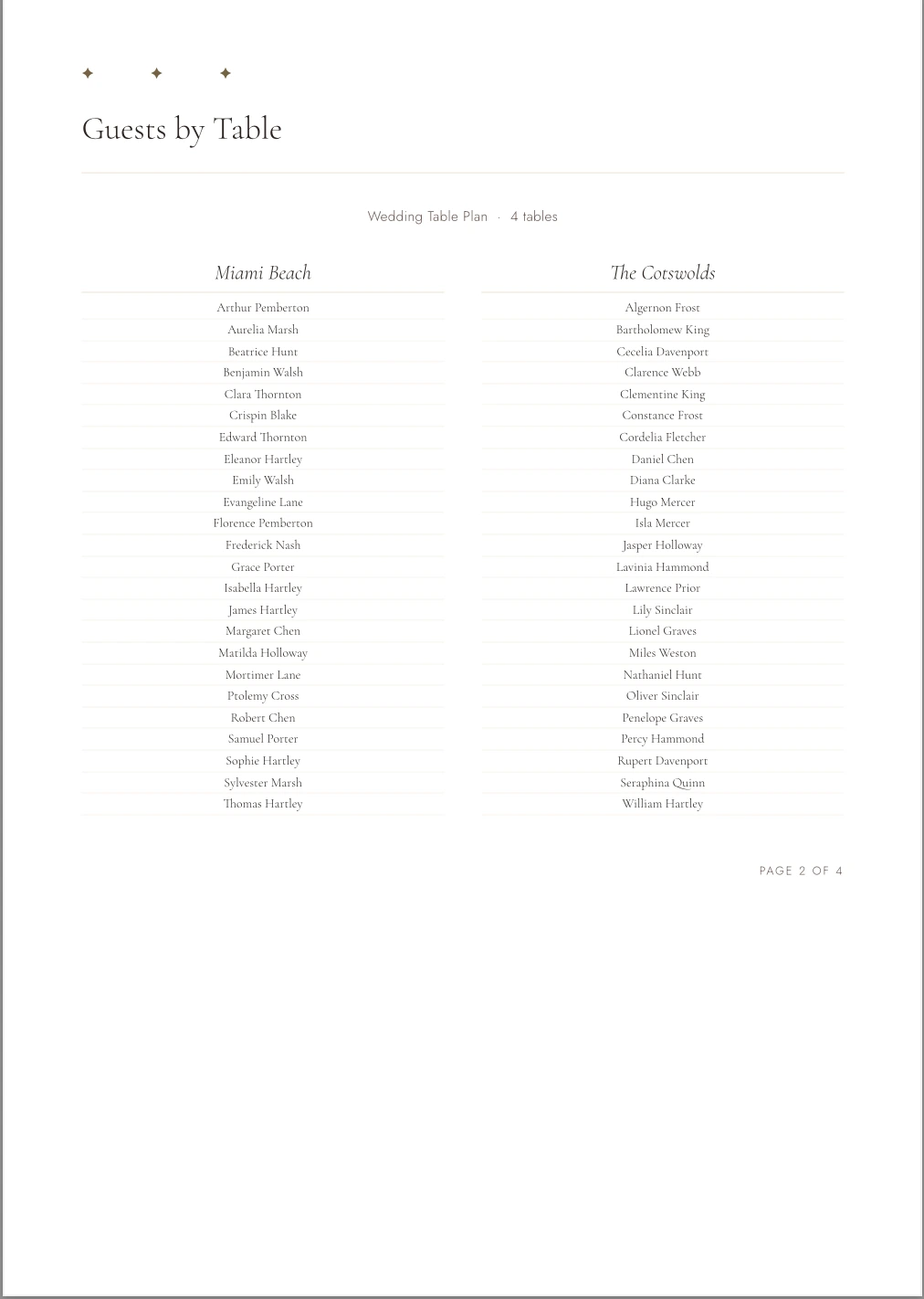
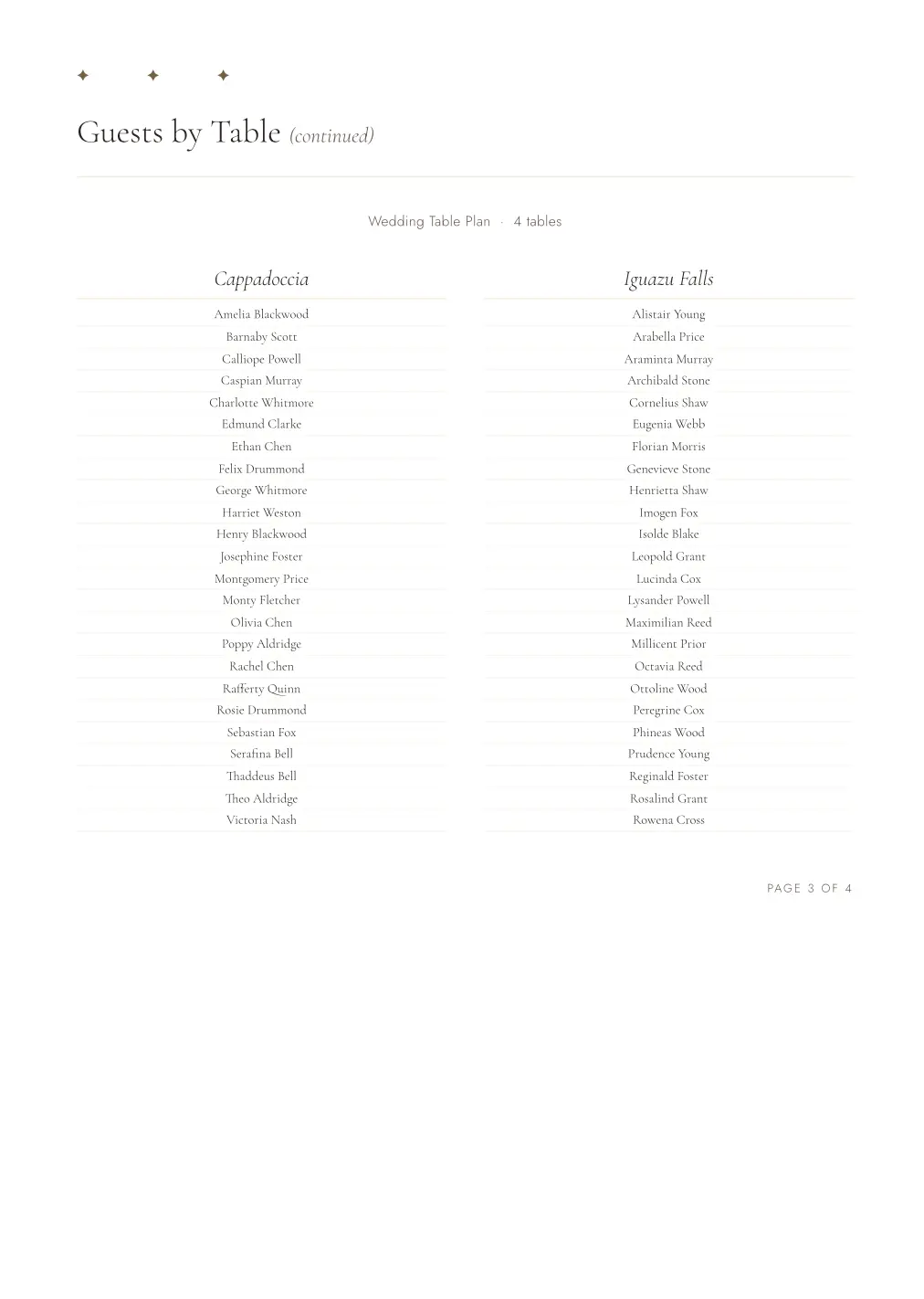
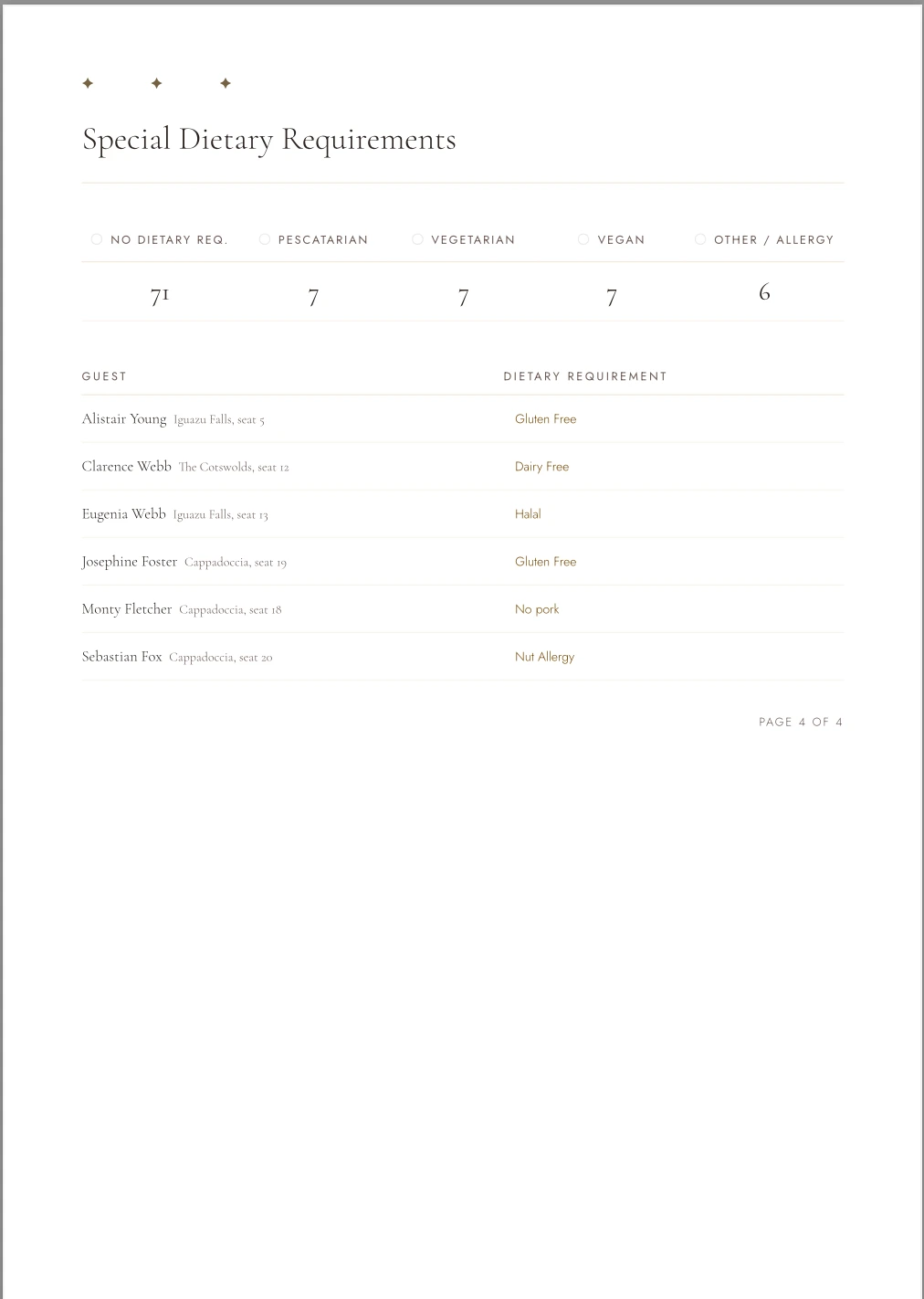
TableScape is an interactive seating planner built for couples. Design your floor plan, seat your guests, and share the finished plan with your caterers or venue in minutes.
No account needed to get started ·
Sign in to an existing plan
01
Define your layout
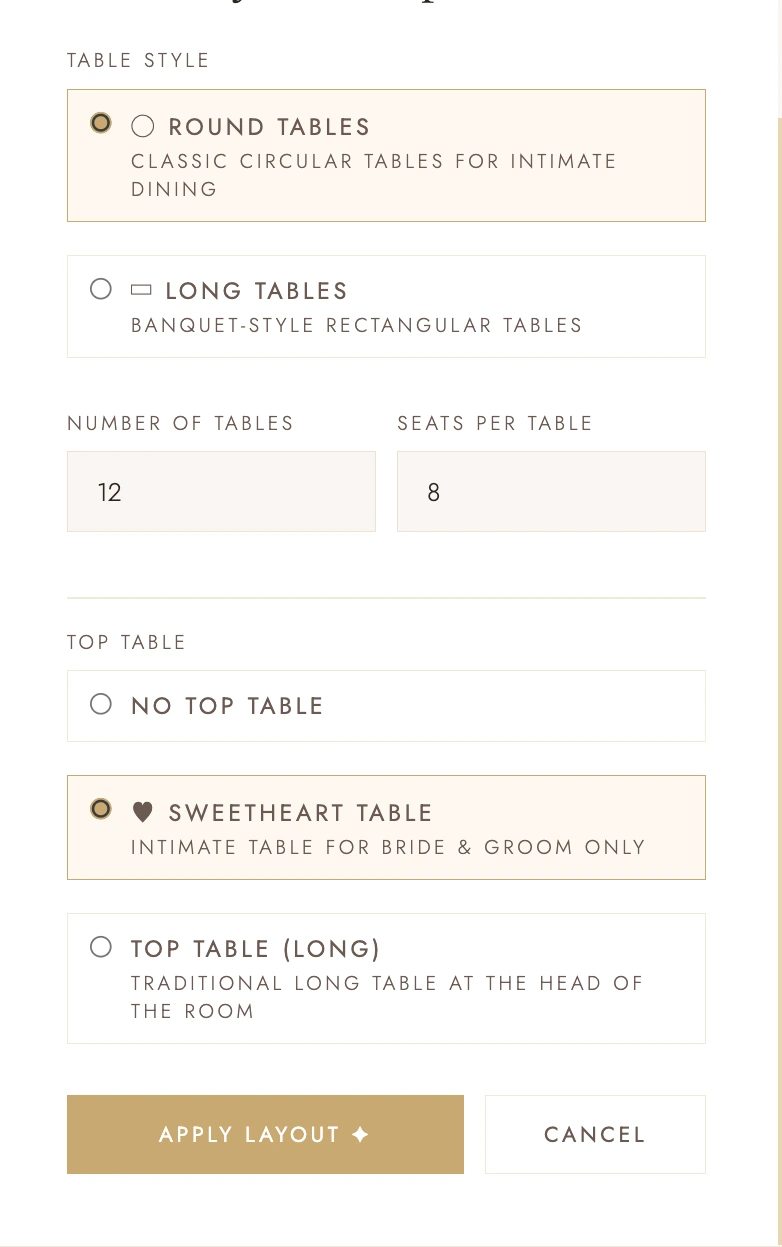
Choose round tables, long banquet tables, a top table, or a sweetheart table. Set seat counts and TableScape builds the floor plan instantly.
02
Add your guests
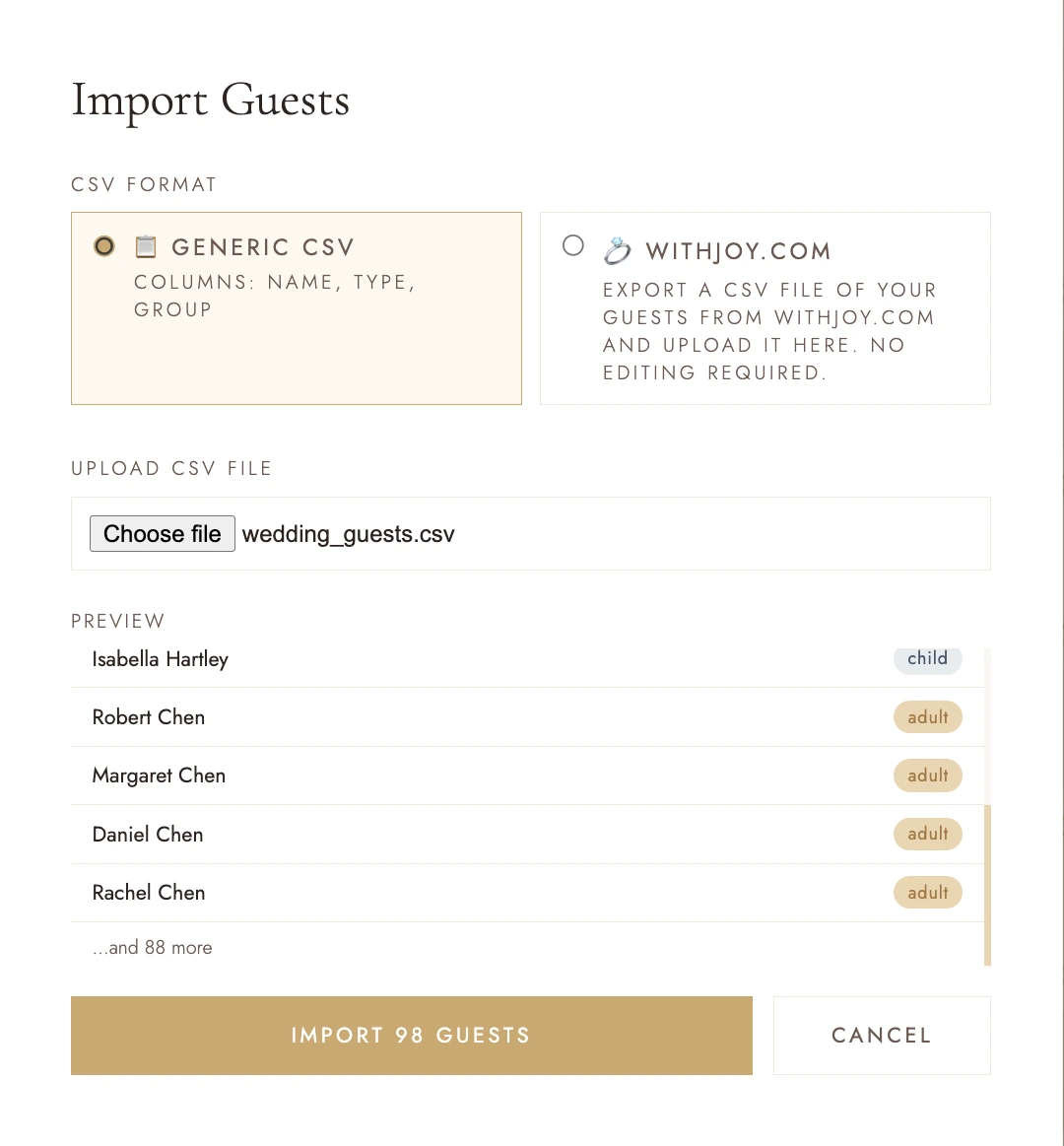
Import your guest list from a CSV in seconds, or add guests one by one. Track dietary requirements and RSVPs as you go.
03
Build your table plan
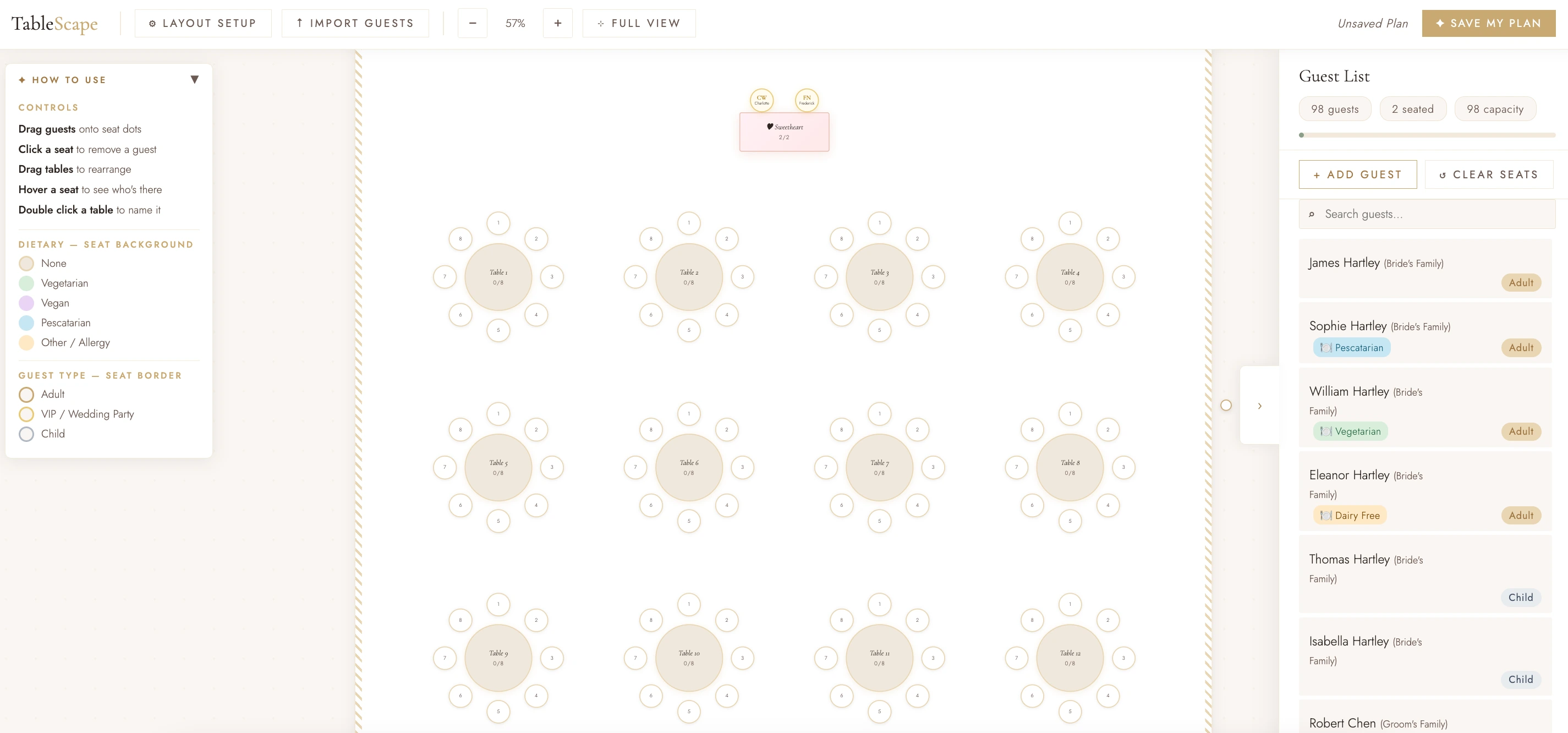
Drag guests onto seats, rearrange tables, and name each one. Print or share with your catering team or a stationer to bring it to life.
✦
TableScape
Wedding Seating Planner
Sign In
Create Account
TableScape
100%
✦ How to use
▼
Controls
Drag guests onto seat dots
Click a seat to remove a guest
Drag tables to rearrange
Hover a seat to see who's there
Double click a table to name it
Dietary — seat background
None
Vegetarian
Vegan
Pescatarian
Other / Allergy
Guest type — seat border
Adult
VIP / Wedding Party
Child
Begin Planning
Your floor plan will appear here
✥ drag to pan · scroll to zoom
›Guests
Guest List
0 guests0 seated0 capacity0 RSVP pending
⌕
Table Layout Setup
Add Guest
Save Your Table Plan
Create a free account to save your plan. It will be waiting for you next time you log in.
Profile & Preferences
Email cannot be changed
••••••••
A reset link will be sent to your registered email address
Marketing & updates
Receive occasional emails from TableScape about new features, wedding planning tips, and product news. You can unsubscribe at any time.
Partner offers & third-party sharing
Allow TableScape to share your contact details with carefully selected wedding industry partners, so they can send you relevant offers.
Edit Guest
Import Guests
Preview — guests to be imported
Preview
Layout Preview
Guest Table
Top Table
Sweetheart Table
Seat
⚠
Changing the table layout will clear all seats.
You have guests already assigned to seats. Applying this layout will unseat everyone. This cannot be undone.
Remove Guest?
Clear Seating Plan?
All guests will be moved back to the guest list and every seat will be emptied. This cannot be undone.